Primary visual centerpiece
Designed as the main canvas for game presentation, replays, sponsorship moments, prompts, and high-impact in-venue content.
A focused view of the proposed LED display system: the main video display, bottom ribbon displays, pixel-pitch options, and the supporting infrastructure behind the installation.
The next scroll breaks the proposal into the pieces the client needs to understand: main video, bottom ribbons, pixel-pitch options, structural support, and processing equipment.
Layer detail appears here.
The primary visual centerpiece of the proposed Dodgers display system: a large-format main video display package supporting game presentation, replays, sponsorship moments, and in-venue content.
Designed as the main canvas for game presentation, replays, sponsorship moments, prompts, and high-impact in-venue content.
The reference configuration for the primary display package.
Higher pixel density alternate for closer-viewing detail and sharper content presentation.
Lower-cost alternate while preserving the main video display concept.
The package includes a base display configuration with optional pixel-pitch adjustments for higher density or lower-cost alternatives.
Key pages from the proposal are included for quick reference alongside the visual overview.
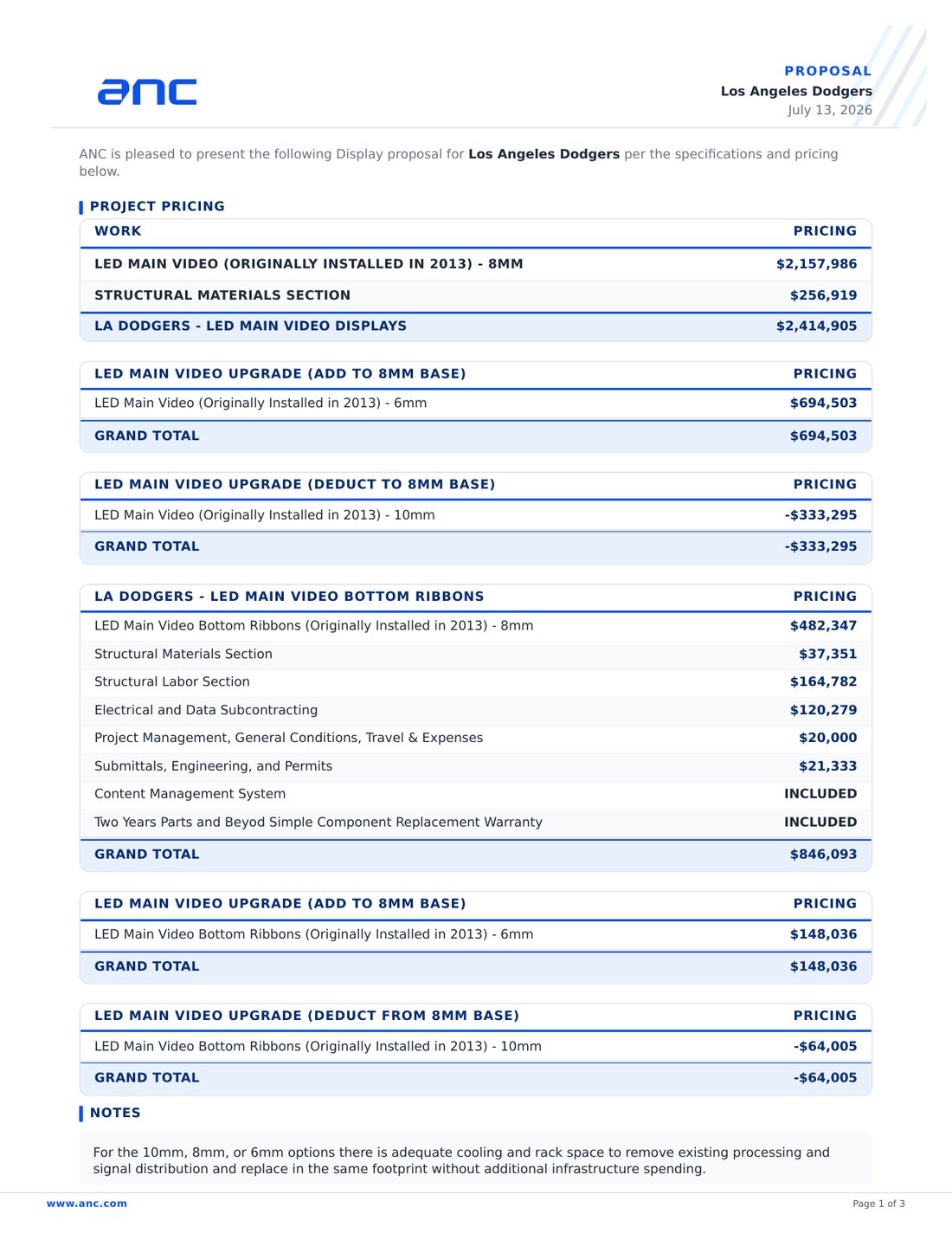
Proposal summary and display package pricing.

Display dimensions, pitch, resolution, and technical specifications.
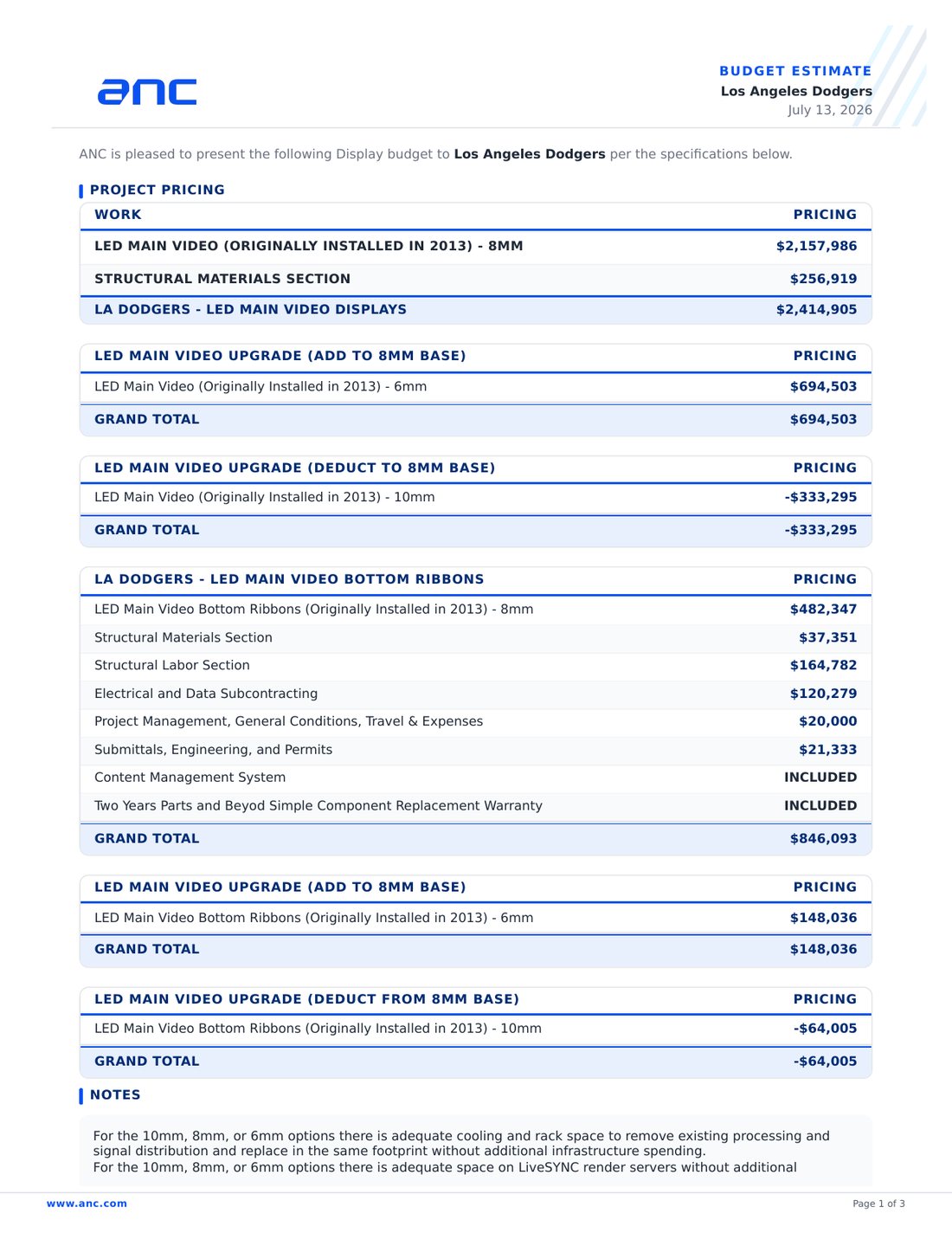
Budget estimate summary for the proposed display system.

Prepared as a visual overview of the proposed Los Angeles Dodgers display system package.